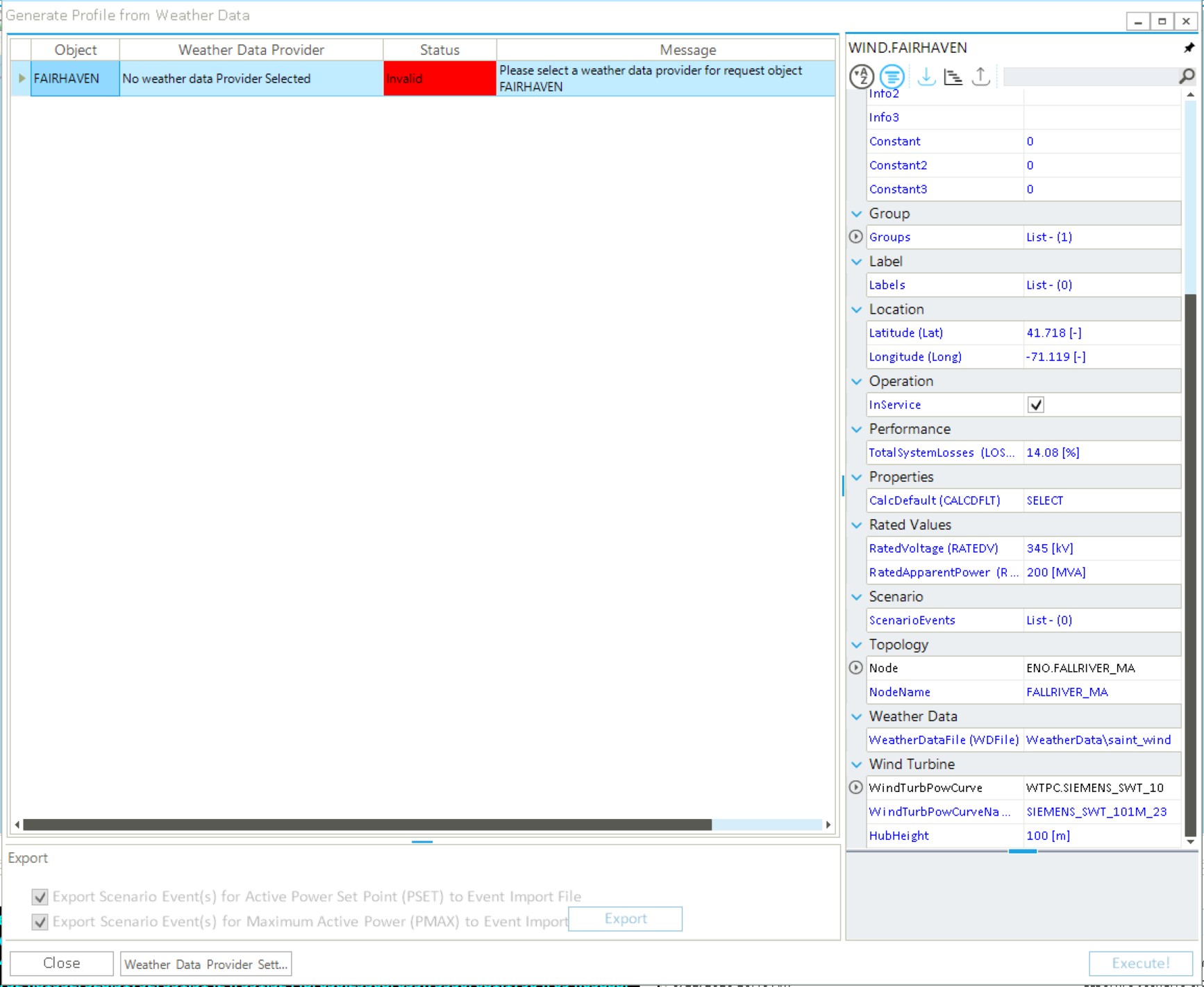
I am wondering whether it is possible to use the steps outlined in Create a Wind Generation Profile with Weather Data using custom weather data (i.e. weather data not procured using the procedure from Collect weather data for a wind generator). I tried to do this by creating my own .csv file with the same formatting as the .csv generated from Collect weather data for a wind generator and setting the path in the WeatherDataFile (WDFile) property editor to my new file. However, I encountered the following issue when I tried to generate a power output profile:
Thanks for your question! I’ve not tried this but in theory it should be possible.
To be clear: you would like to use this capability to calculate a profile for wind power generation based on your own weather data file populated with your own custom values for wind speed, etc. Is this correct?
If yes, then I can check with the team to find out what the steps for this process should be.
@emmacooper in the meantime if you could attach the file you created and specify the wind turbine power curve you are using, I can give it a try myself and see what I find.
Hi @emmacooper, this is a great question, and it’s something we definitely want to support in the future. You are headed in the correct direction. You are running into issues because, for the time being, we need to trick the software into reading your data. The trick is that we need to ensure it is in the correct format so as not to raise any alarms in SAInt’s backend. I have done this in the past, but I’m not sure if it works in the latest releases of SAInt. Here is the approach I have used:
Follow the same procedure as in the tutorial to connect to a weather data provider. For the wind data, you will need access to the WindToolKit. If you don’t have the NLR API key. Please use this link to sign up as a developer: API Key Signup | NLR: Developer Network. Notice that since NREL rebranded to NRL, the URL in SAInt might need to be updated manually.
Open the Weather Data Collector and download the weather data for the WIND object. The coordinates shouldn’t matter. This will automatically create a new folder called WeatherData. In that folder, you can edit the CSV with your own data. I would only change the minimum necessary.
Then, back in SAInt, open the Generate Profile from Weather Data, and you should not see the error message anymore.
If you still run into the issue or another issue arises, please, as suggested by @Will, share the file with us, and we can try to find a solution on our side.